The Buy via Card or Bank Transfer option on the mobile app allows you to purchase cryptocurrency using fiat currency through the available payment methods. This service is provided and hosted by a third-party provider, Onramper. You can also access the same option on the web platform via this link.
Note: To use this feature, please ensure your KYC verification is completed
To proceed with the Buy option via mobile app, please follow the steps outlined below.
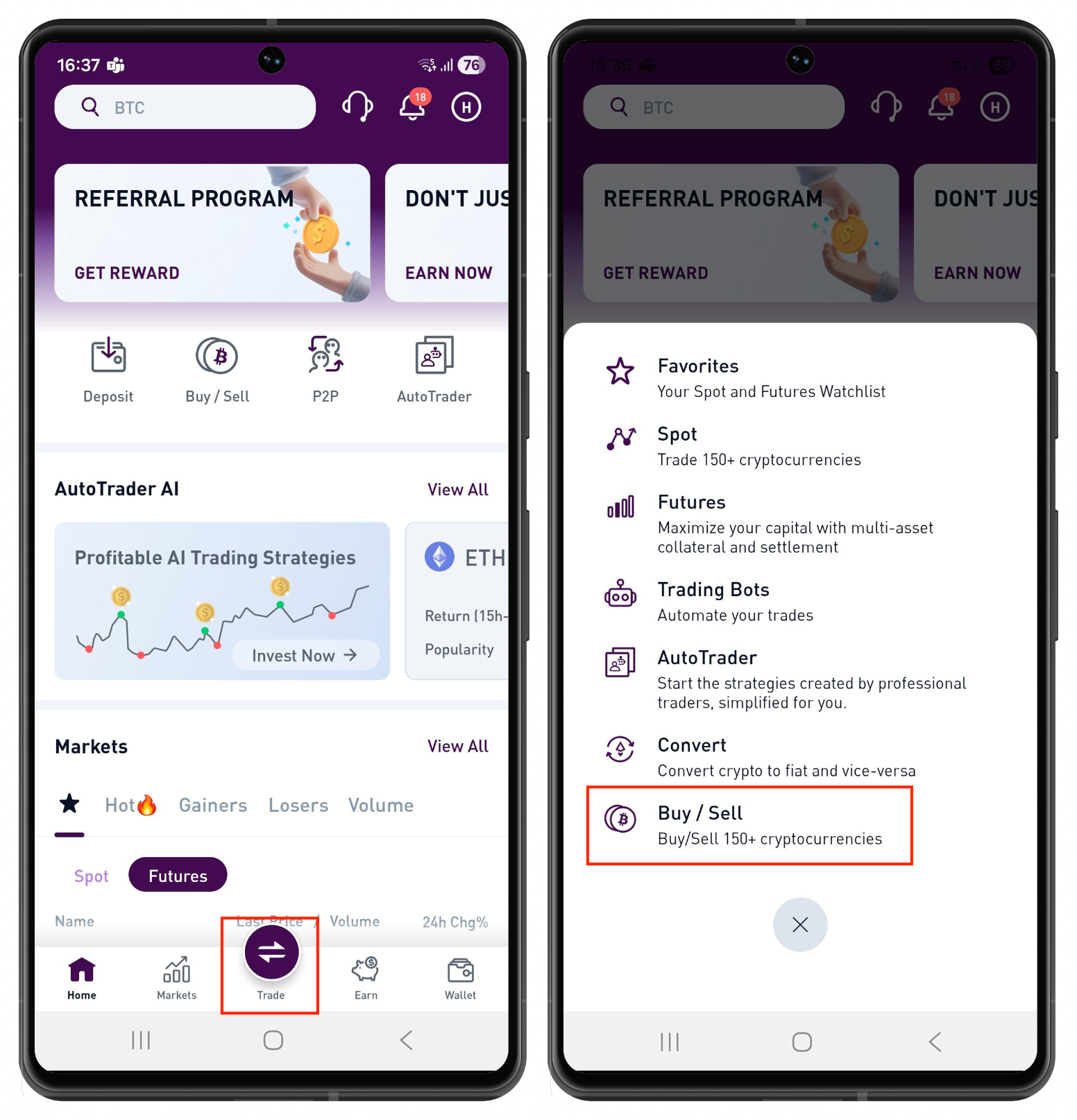
Open the app on your mobile device.
Tap Trade and select Buy & Sell.
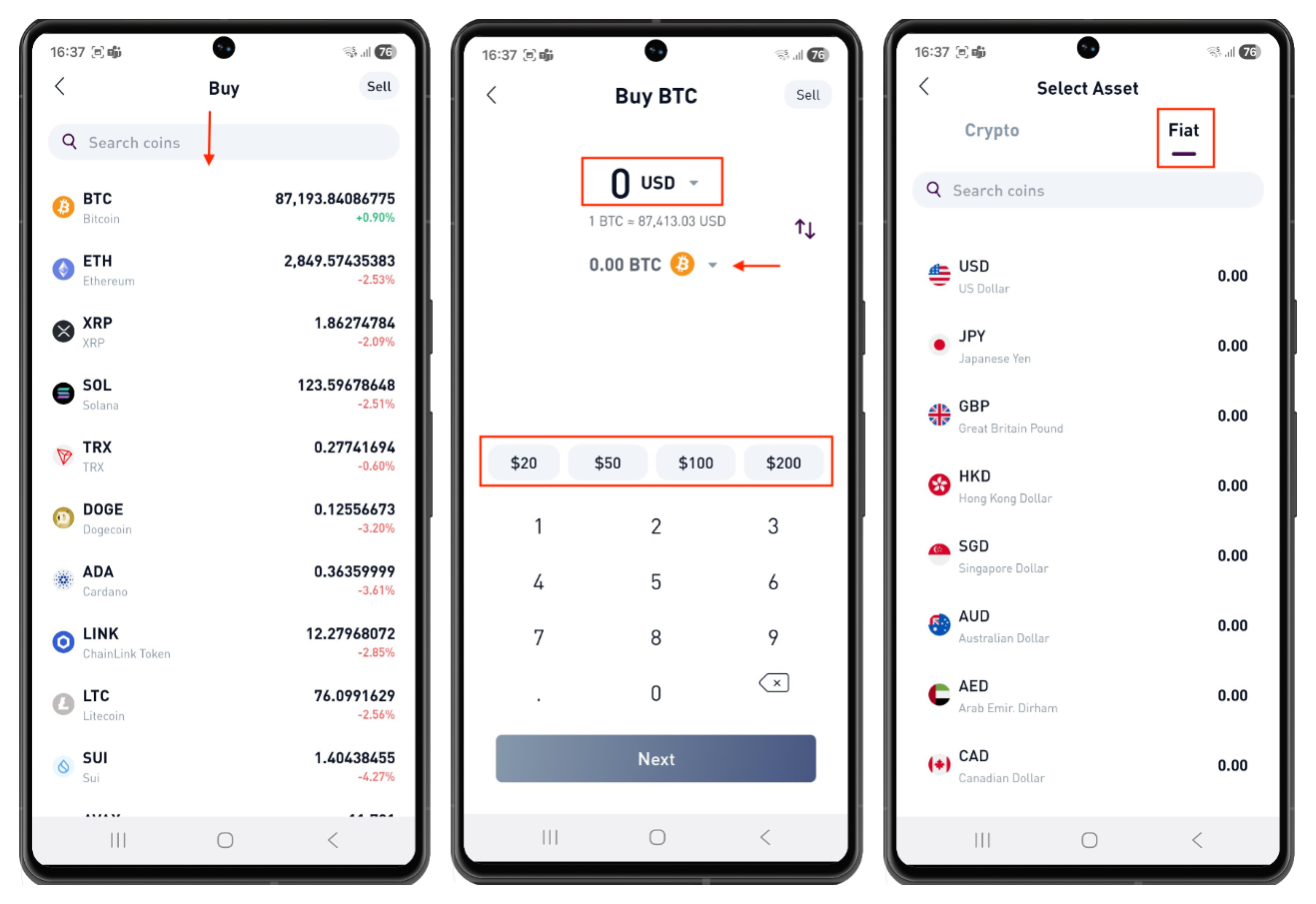
Choose the asset you want to purchase.
Tap the top currency field to select the fiat currency you want to spend. You can also tap the asset field below to change the asset you wish to buy.
Enter the amount manually or select one of the preset options ($20, $50, $100, or $200), then tap Next.
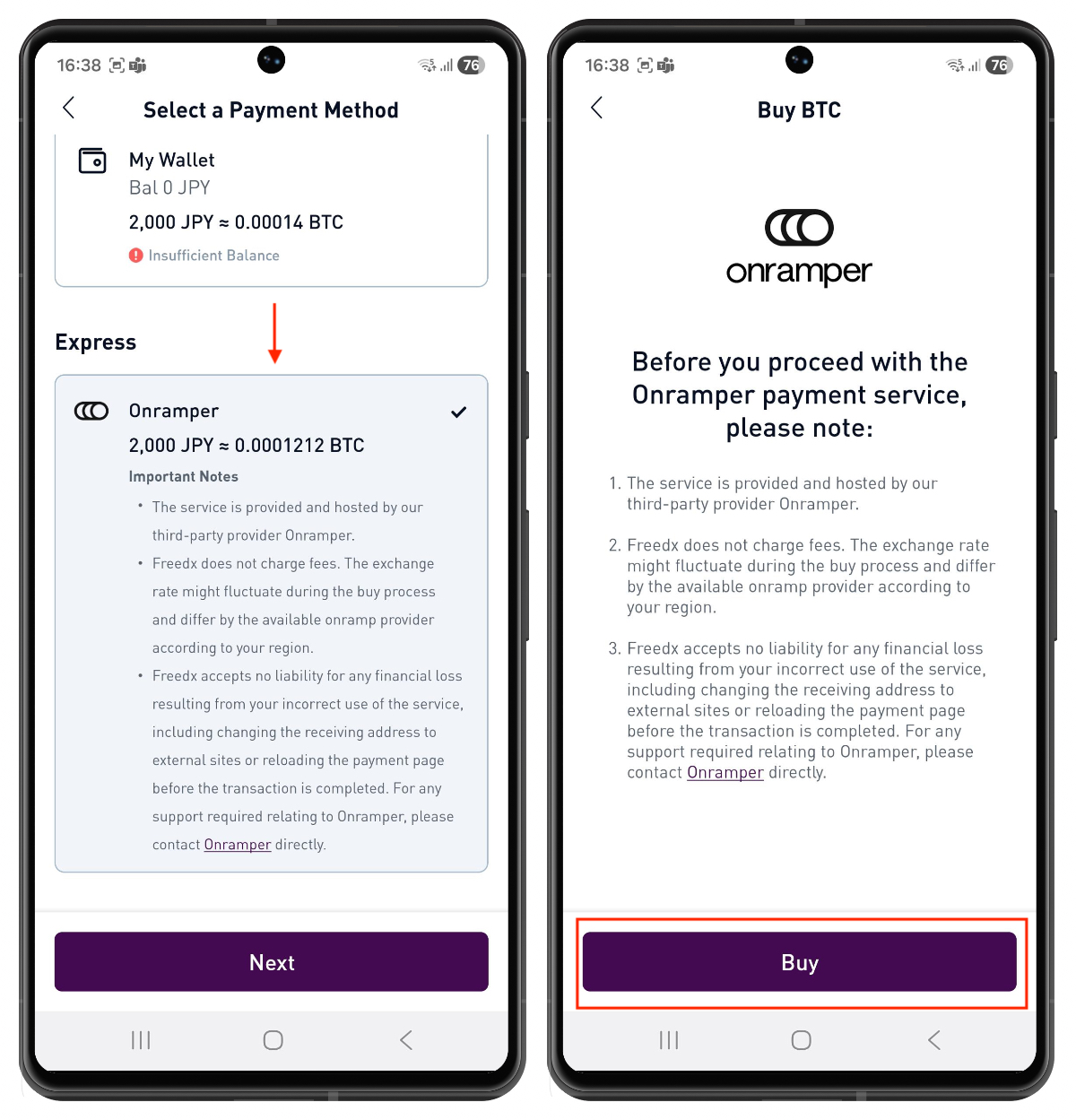
Select Onramper as the payment option and tap Next.
Carefully review the Important Reminder, then tap Buy to proceed.
Enter the fiat amount. Choose a third-party service provider from the available list, select your preferred payment method, and tap Buy.
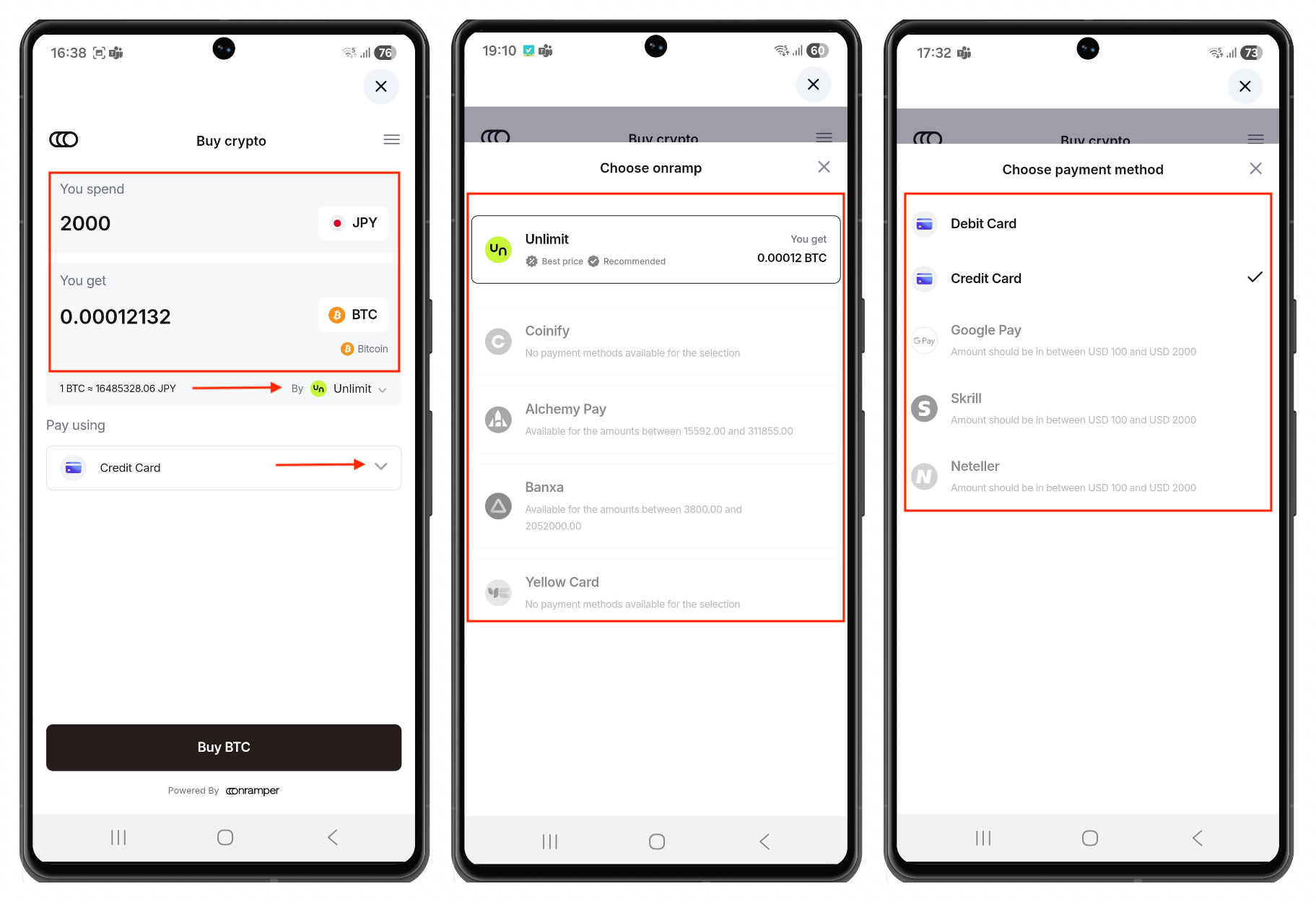
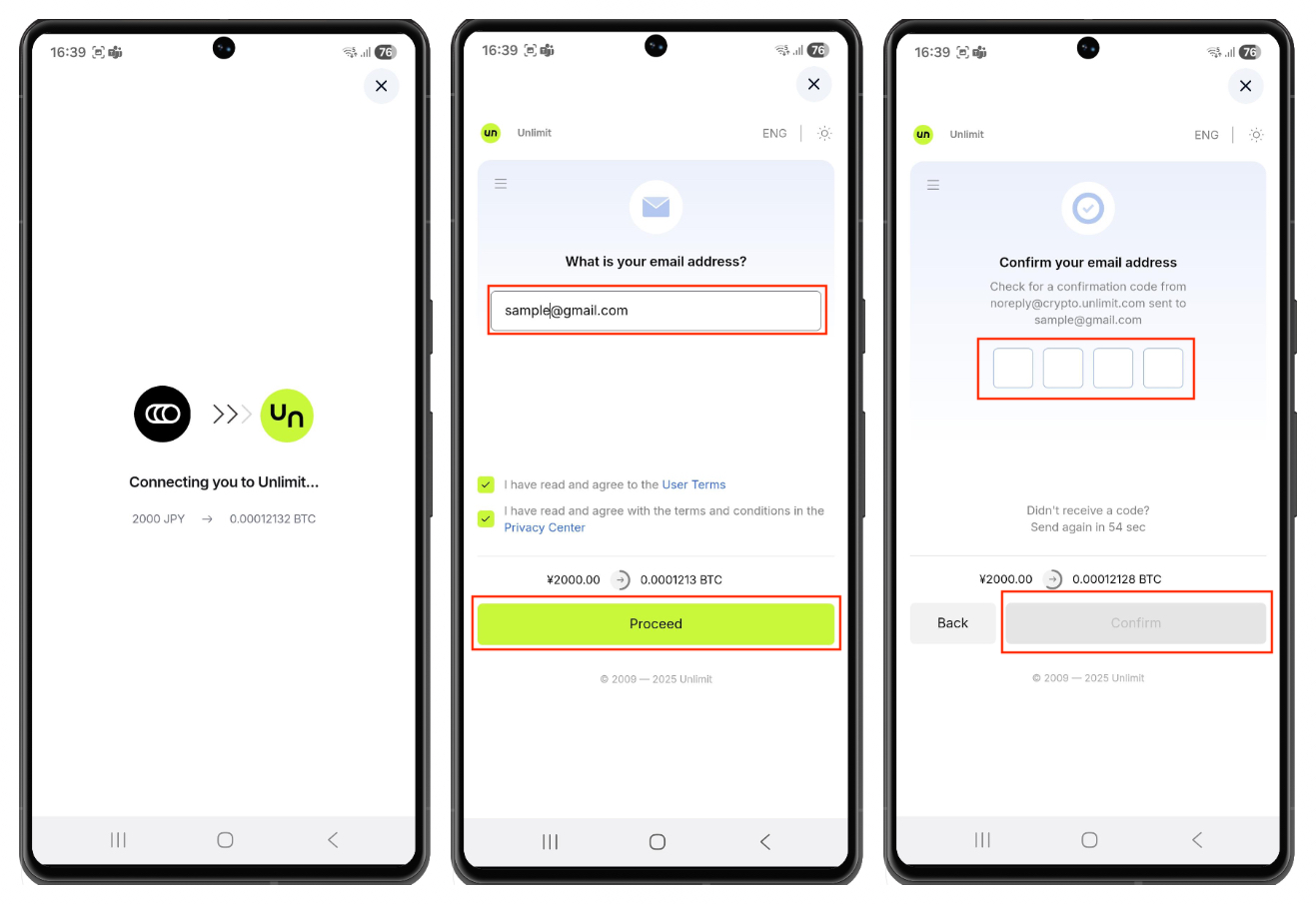
You will be redirected to the selected service provider’s page to continue the payment process.
Enter your email address and tap Proceed.
Check your email for the confirmation code, enter it, and tap Confirm.
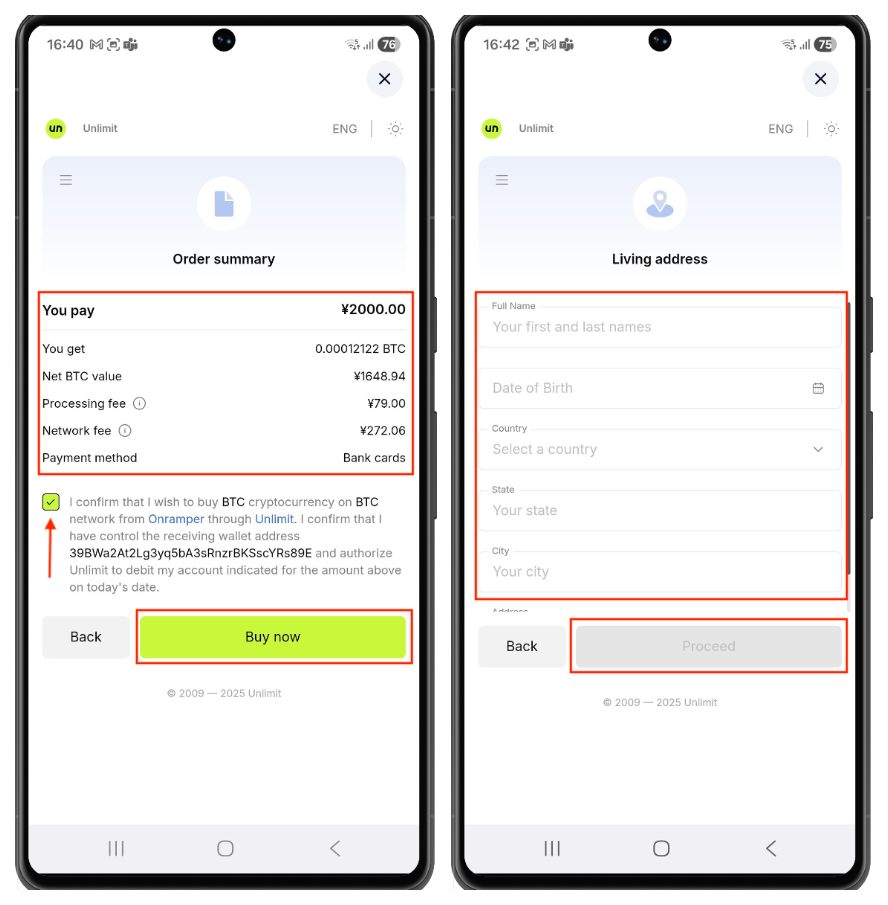
Review the Order Summary carefully, agree to the terms and conditions by ticking the checkbox, and tap Buy Now.
Complete the required details and tap Proceed to finalize the purchase.
Note: Freedx accepts no liability for any financial loss resulting from incorrect use of the service, including (but not limited to) changing the receiving address to external sites or reloading the payment page before the transaction is completed. For any support related to Onramper, please contact Onramper directly. Freedx does not charge any fees. However, exchange rates may fluctuate during the purchase process and can vary depending on the onramp provider available in your region.
Was this article helpful?
That’s Great!
Thank you for your feedback
Sorry! We couldn't be helpful
Thank you for your feedback
Feedback sent
We appreciate your effort and will try to fix the article