If you're a business looking to access institutional trading and corporate services on FreedX, you are able to register an account and then verify it as a Corporate Account.
Please note that Corporate Verification is available exclusively via our web platform and is not supported on the mobile app at this time.
A. Preparation For Your Corporate Onboarding
Before starting the verification process, please have the following requirements ready to ensure a smooth and efficient experience.
1. Required Corporate Documents:
- Certificate of Incorporation/Business Registration
- Certificate of Incumbency (issued within the last 6 months)
- Register of Members, Directors/Shareholders, or equivalent documentation identifying the Ultimate Beneficial Owners (UBOs) — individuals who directly or indirectly own or control more than 25% of the company’s capital or profits. This includes the register(s) of members of any corporate parent(s), moving up through the corporate chain until the relevant individuals have been identified.
- Memorandum and Articles of Association, prospectus, offering memorandum, or an equivalent constitutional document
- List of Authorized Signatories
- Board Resolution authorizing the opening of a corporate account (or equivalent document)
- List of Authorized Traders who will operate the account on behalf of the company
2. Additional Certificates (if applicable):
- Certificate of Name Change
- Certificate of Good Standing
- Certificate of Incorporation for any corporate directors
3. Required Identity Verification for Related Parties:
The following individuals must complete personal verification:
- Government-issued ID
- Proof of Address (POA)
- Live Selfie with ID for biometric verification
Individuals subject to verification include:
- Company Directors
- Authorized Traders
- UBOs holding 25% or more of shares or voting rights
- Shareholders with 25%+ ownership
- Significant Controllers
- Authorized Signatories
B. Start Verifying Your Corporate Account
1. Registration:
Register for a Freedx account or log in to your existing Freedx account that has not been verified yet.
To learn how to create an account, kindly visit our article here.
2. Verification:
Step 1:
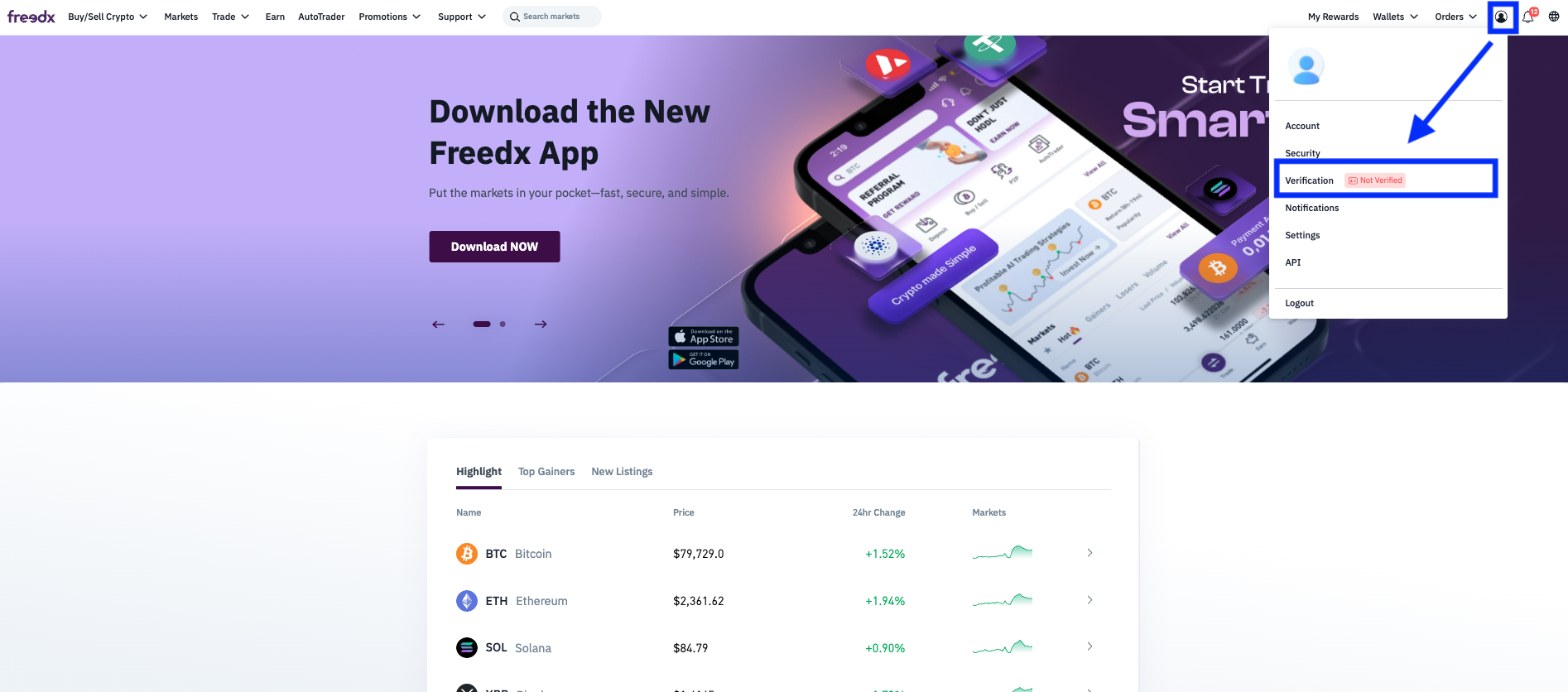
From the Freedx homepage, click on Profile in the top right corner of the screen and choose Verification.
Step 2:
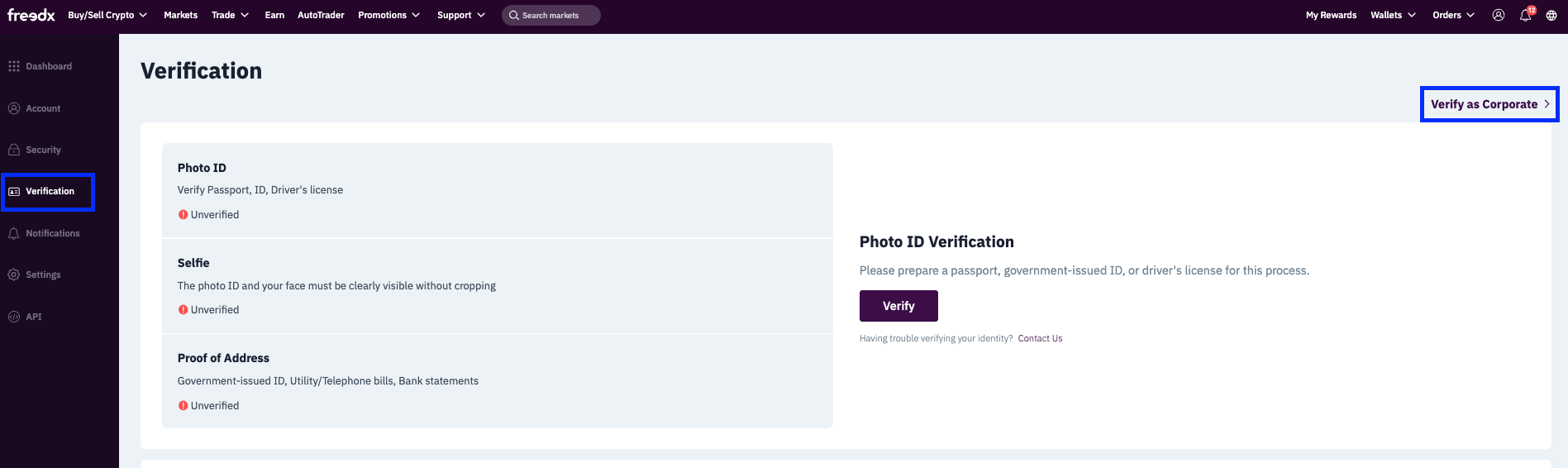
On Verification page, click on Verify as Corporate on the right side.
Step 3:
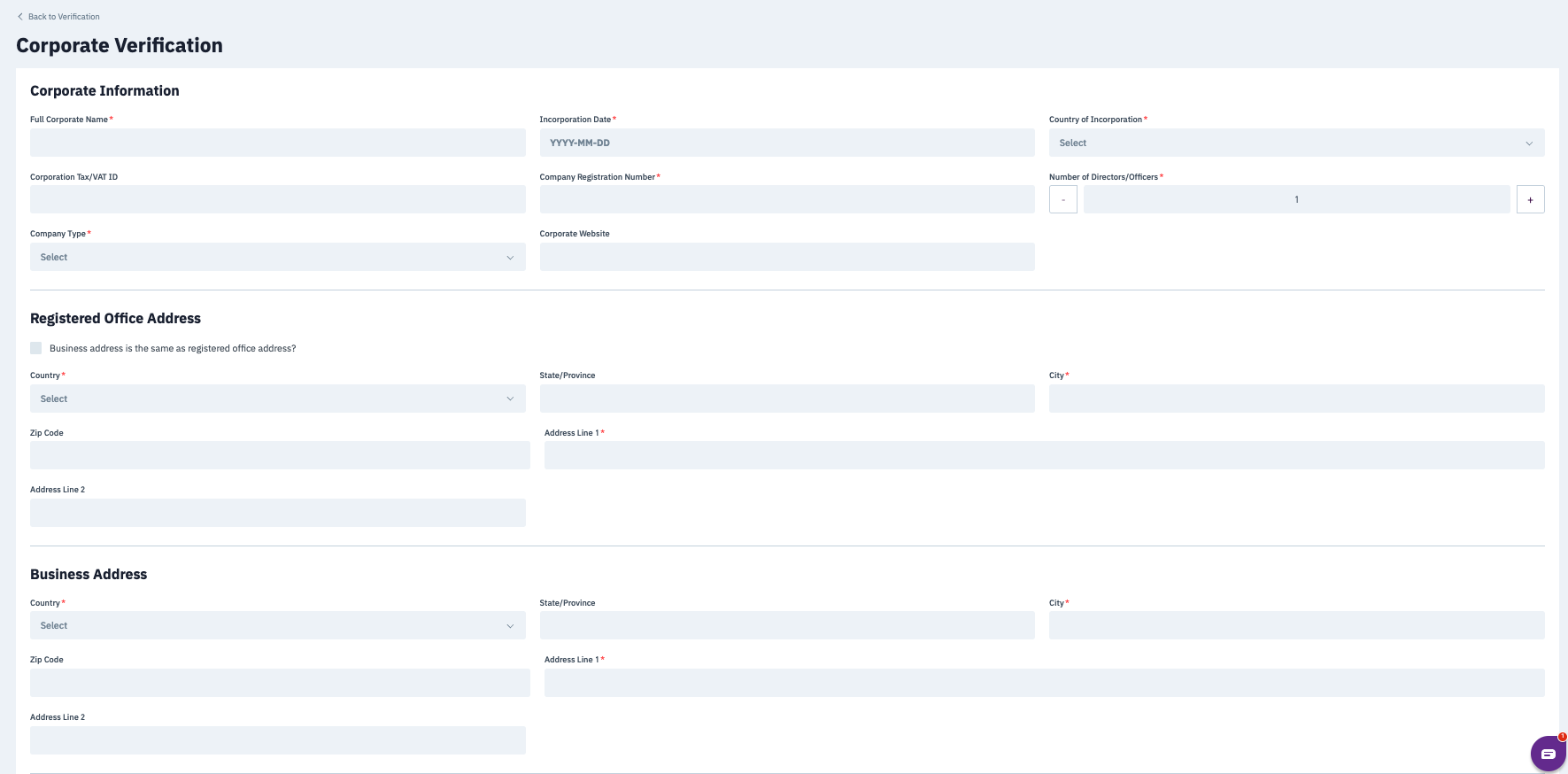
Enter your Corporate Information, Registered Office Address, and Business Address.
You must provide accurate information that matches your official business documents.
Step 4:
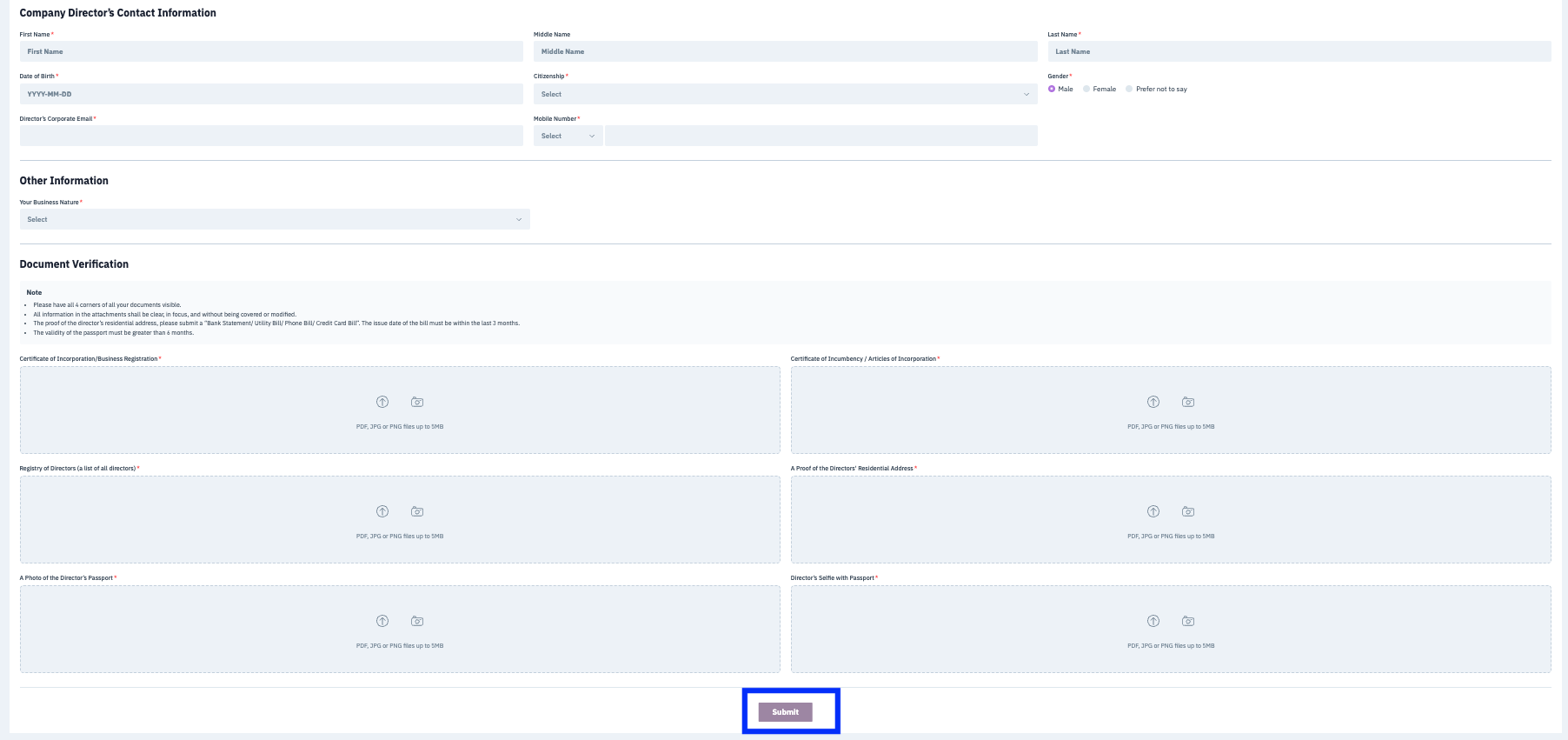
Scroll down to complete the Company Director’s Contact Information, Other Information and upload all required documents.
Important Note:
Please ensure that all the provided information is correct. If you fail to provide the correct information, it could lead to us rejecting your business verification application and you’ll have to redo the full verification process.
Click Submit.
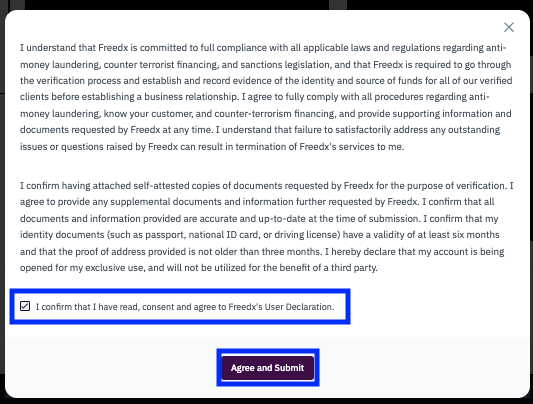
Step 5:
Make sure that you understand Terms and Conditions clearly.
Tick on the box “I confirm that I have read, consent and agree to Freedx’s User Declaration”
Click Agree and Submit
3. Complete Your Corporate Verification
After submitting the form, your Corporate Verification will be reviewed. You will be notified by email as soon as possible once the review is completed.
Please note that all these requirements and steps are in place to comply with Know Your Business (KYB) standards and ensure the integrity of our platform.
In some cases, our compliance team may request additional information or clarification based on the structure or nature of your business. If so, we’ll reach out to you directly with next steps.
Was this article helpful?
That’s Great!
Thank you for your feedback
Sorry! We couldn't be helpful
Thank you for your feedback
Feedback sent
We appreciate your effort and will try to fix the article